Offer your schools an online store for their yearbook sales. The store currently includes the ability to sell printed yearbooks. You may turn on the store for each of your schools, set up their products and pricing, and see complete order details.
Stores
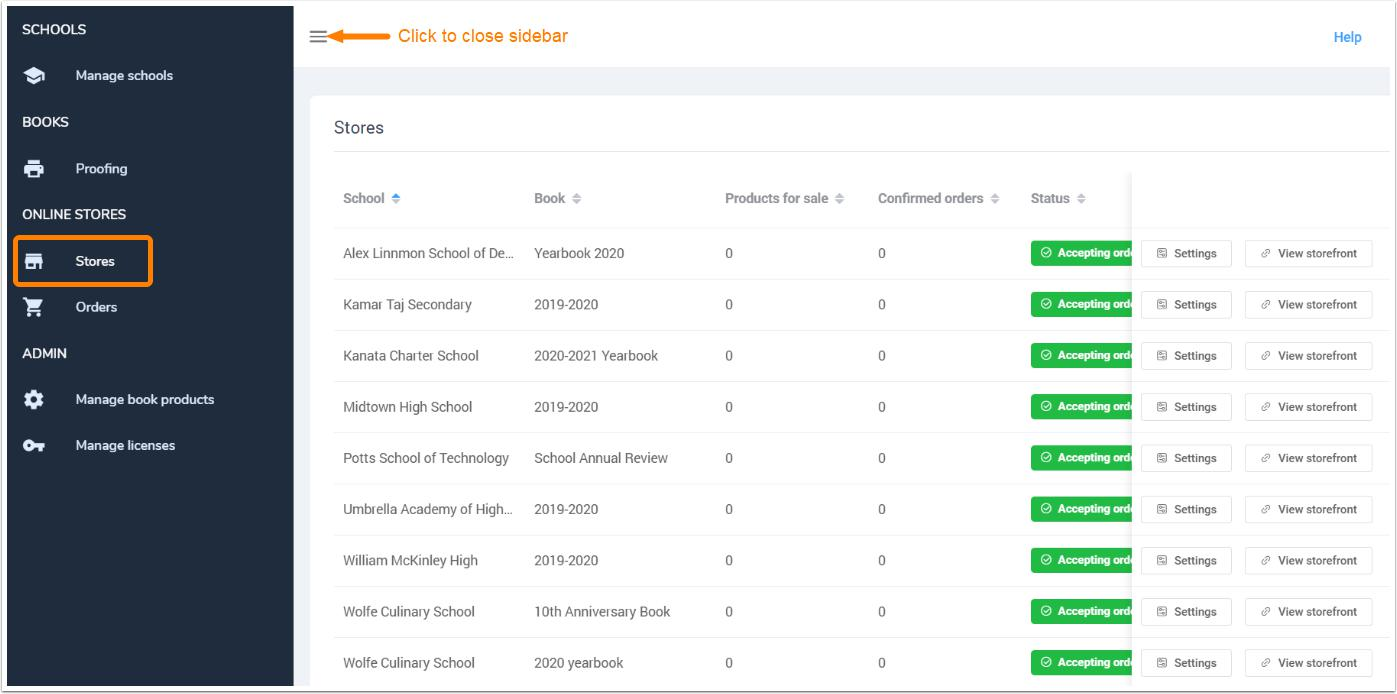
Your school stores are managed on the Stores tab of the Publisher Dashboard. Configure your storefronts and add products for sale with custom pricing (including school fundraising surcharges). Each school's store is managed separately.
Orders
Orders are tracked under the Orders tab. Order details and links back to store configuration are offered, and you can track your received revenues on a per order basis.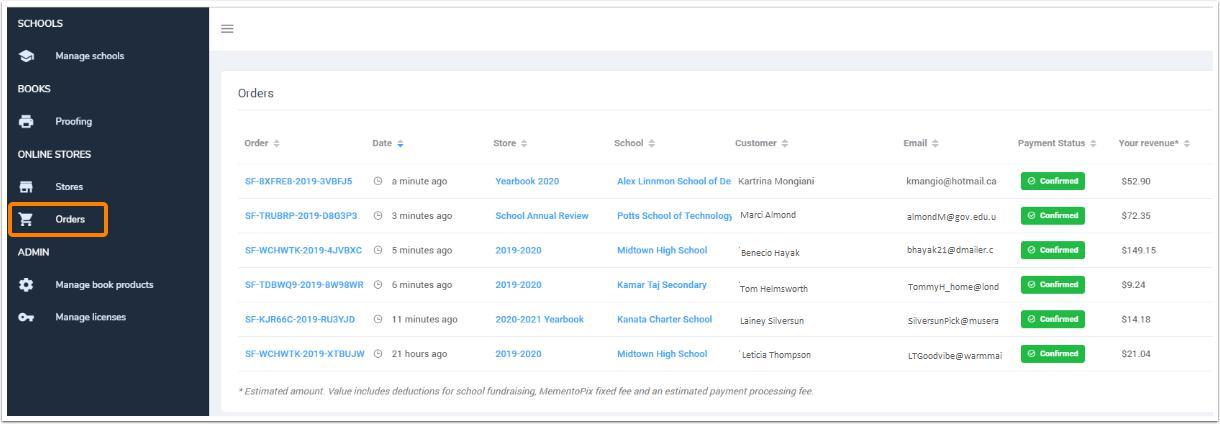
School View
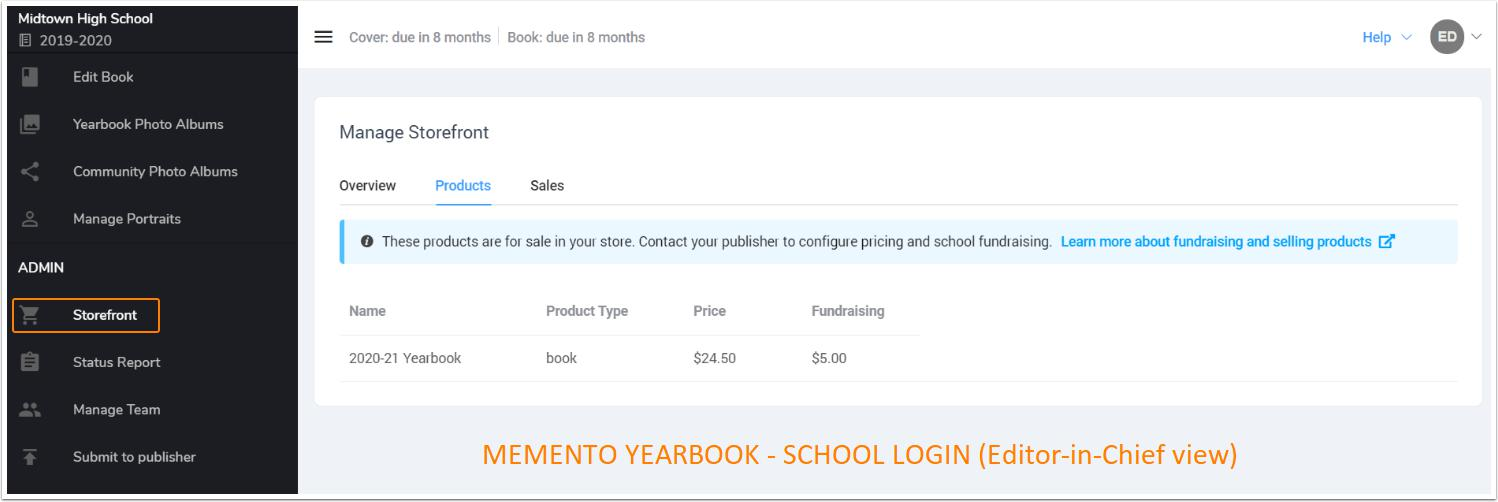
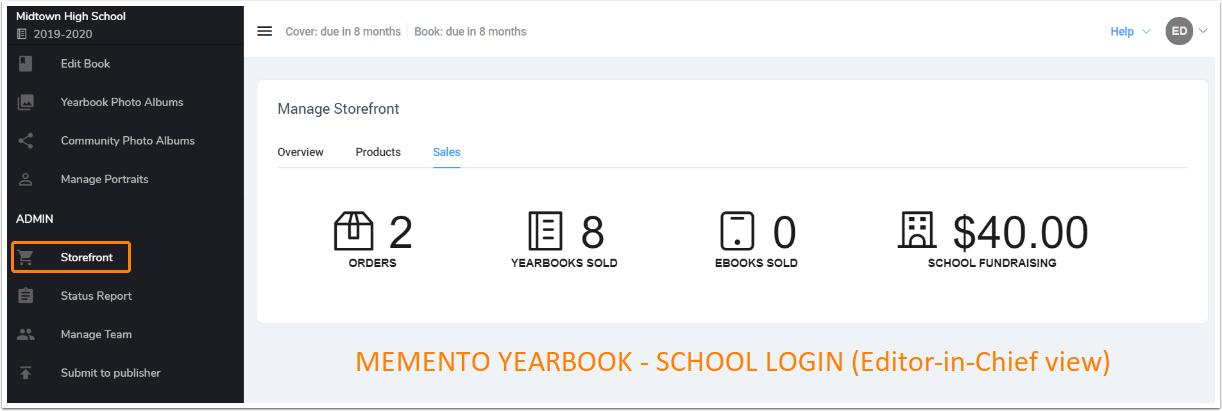
In the Memento Yearbook app, Editors-in-Chief may see an overview of the product, pricing, their orders and expected fundraising money from their book. They are not able to configure pricing or store options - only you, the publishing company, can configure these settings. Information on this subject is available to the schools in the Memento Yearbook app knowledge base.
Here is an editor-in-chief view of the Storefront products.
And here is an editor-in-chief view of the store sales.
Note that if you do not want to offer stores to one or more of your customers, you can turn off the Storefront option under your customization options.
Was this article helpful?
That’s Great!
Thank you for your feedback
Sorry! We couldn't be helpful
Thank you for your feedback
Feedback sent
We appreciate your effort and will try to fix the article