By default, storefronts are turned on when a school is created. To disable a school's store entirely, click on the Stores tab, then Settings next to your school of choice.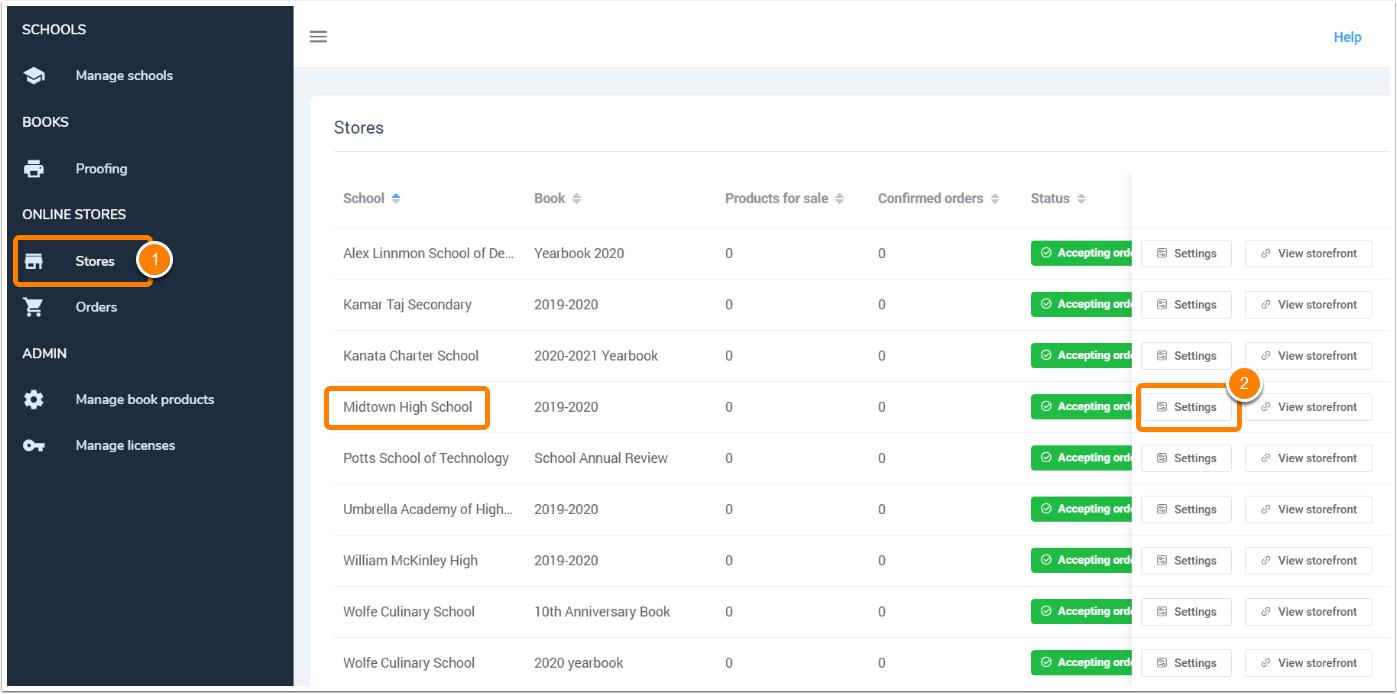
Under the Settings tab, turn off the storefront. Checkmark the box to turn the store on. 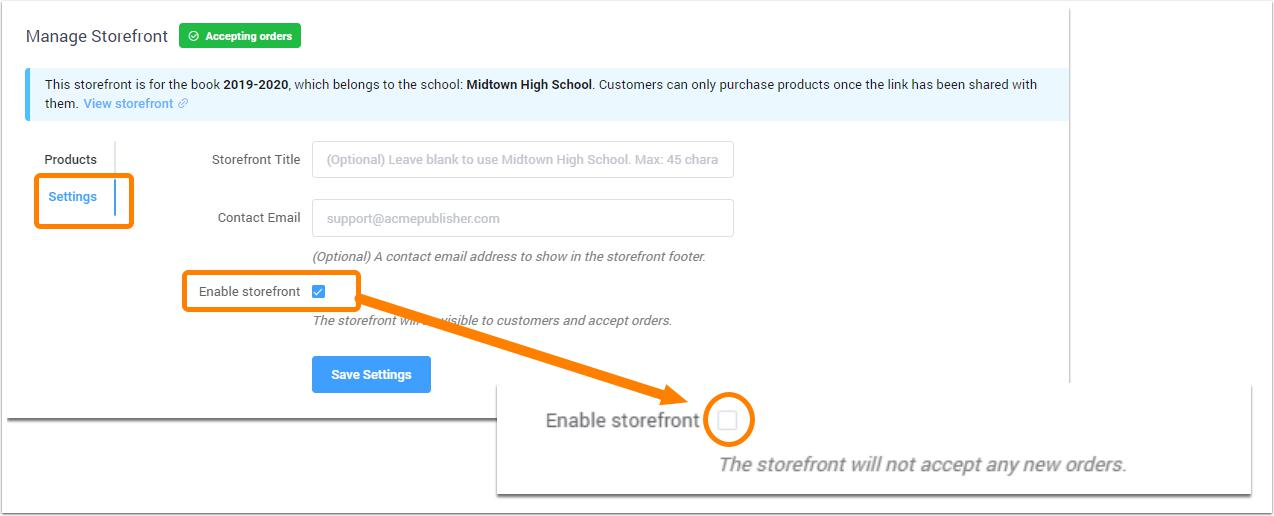
When the storefront is disabled, all products are hidden, so no orders can be received. The Editor-in-Chief will see that there are no products available in their Memento Yearbook account and the store will show no products available.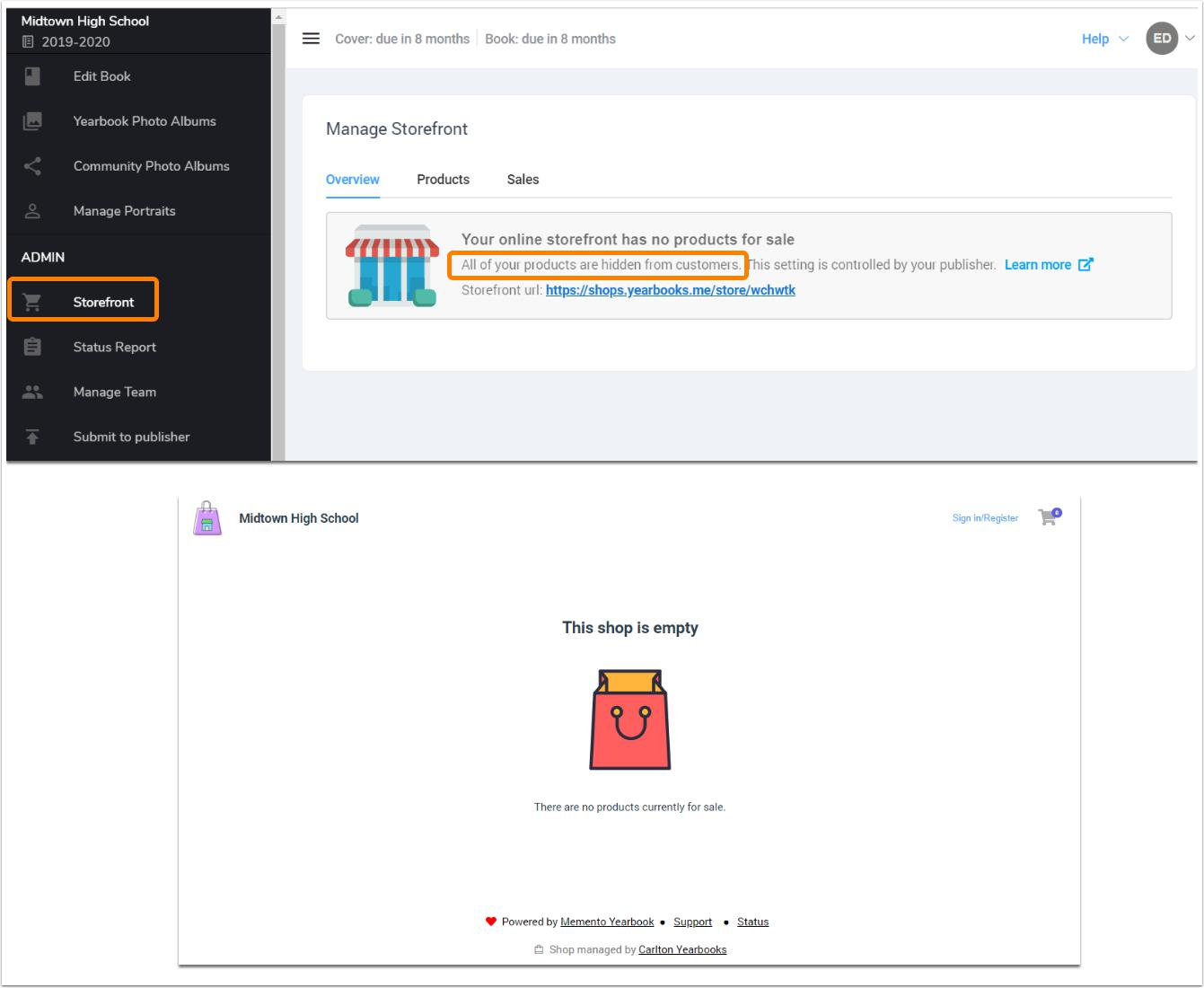
Was this article helpful?
That’s Great!
Thank you for your feedback
Sorry! We couldn't be helpful
Thank you for your feedback
Feedback sent
We appreciate your effort and will try to fix the article