Once your school no longer has any active books, you may still view their storefront listing, but not access it. Note that only active schools (with unexpired book licenses) will be displayed by default in the Stores list.
Click on Stores, click on the top right menu to make inactive schools visible.
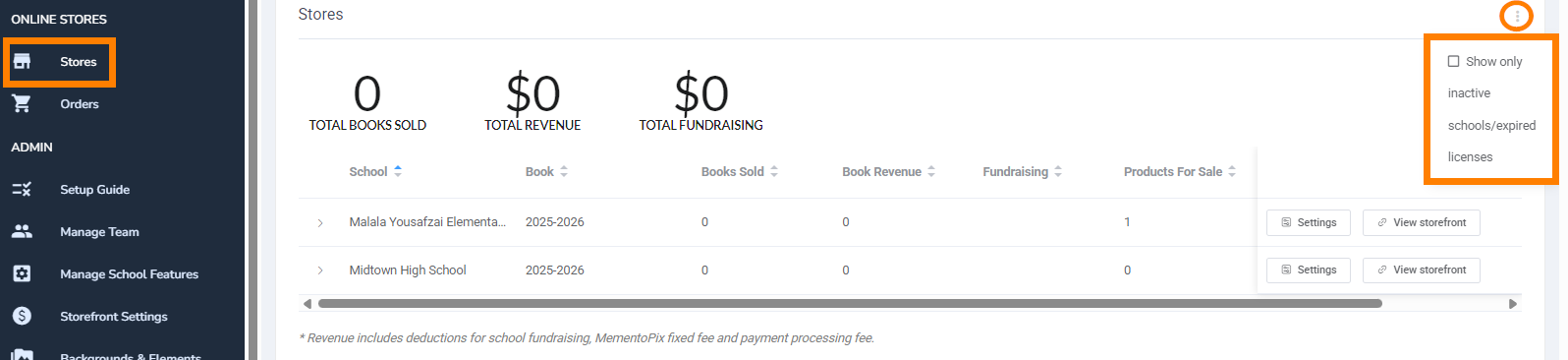
Once turned on, the filter will be applied to showing a list view of expired storefronts. 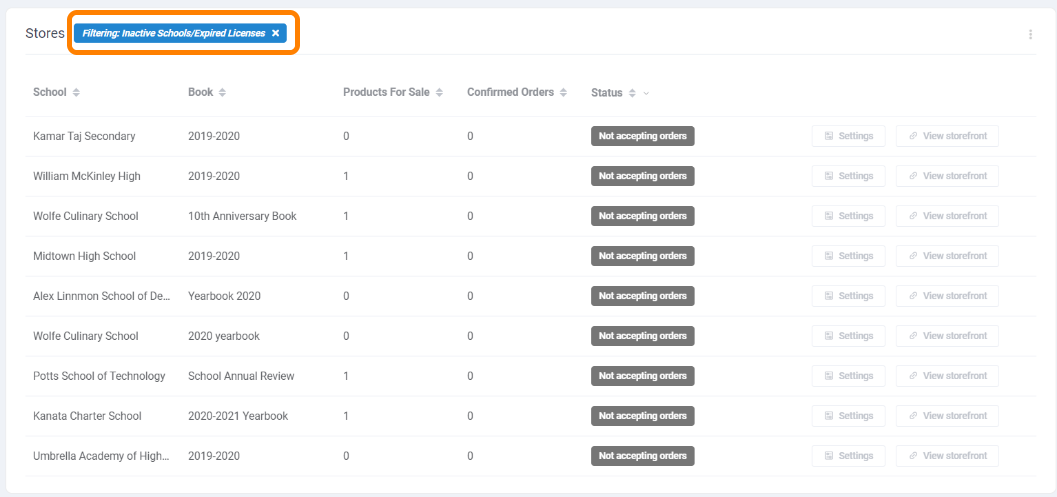
Click the x in the filter to return to the active school list.
Was this article helpful?
That’s Great!
Thank you for your feedback
Sorry! We couldn't be helpful
Thank you for your feedback
Feedback sent
We appreciate your effort and will try to fix the article