Many schools and yearbook companies offer tiered-level pricing to encourage early sales. This can be managed on your school's storefront in one of two ways.
Manage a single product's pricing
Add a single product on your school's store, and set its pricing to your early bird best pricing. The discount may be applied to your pricing and/or to the school's fundraising add-on, as applicable. Schedule a release date for the product and a termination for that pricing.
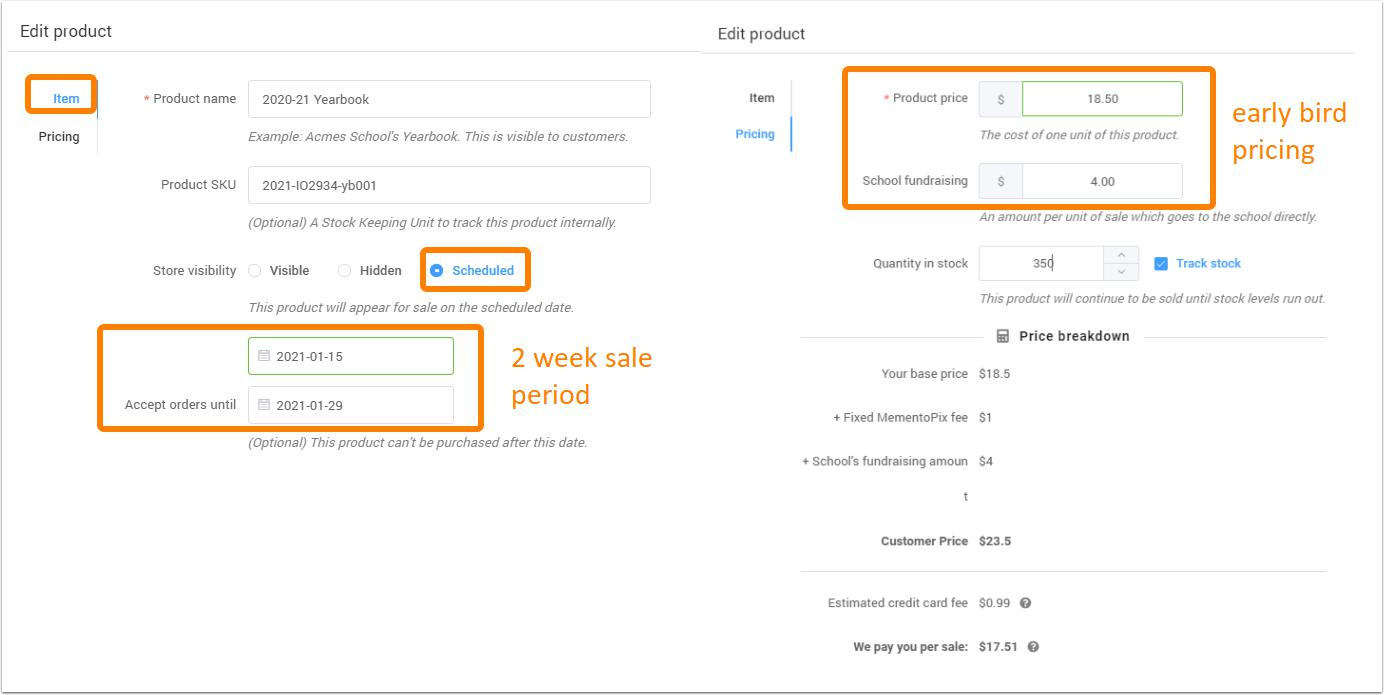
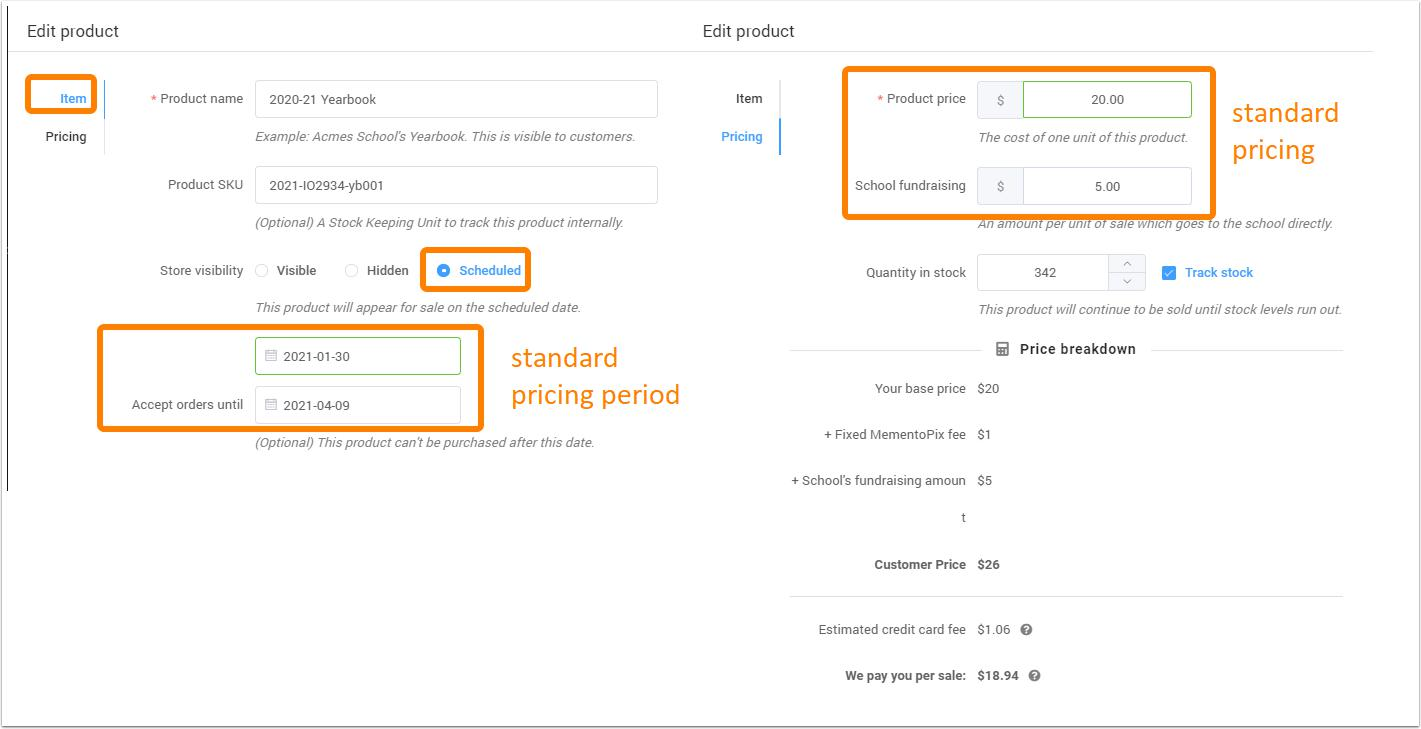
When the early bird special pricing period is over, edit the product to change the release date and update the pricing. This option is best for monitoring inventory quantities.
Add multiple products with separate release dates
Rather than manage a single product, create three products with separate release dates and pricing.
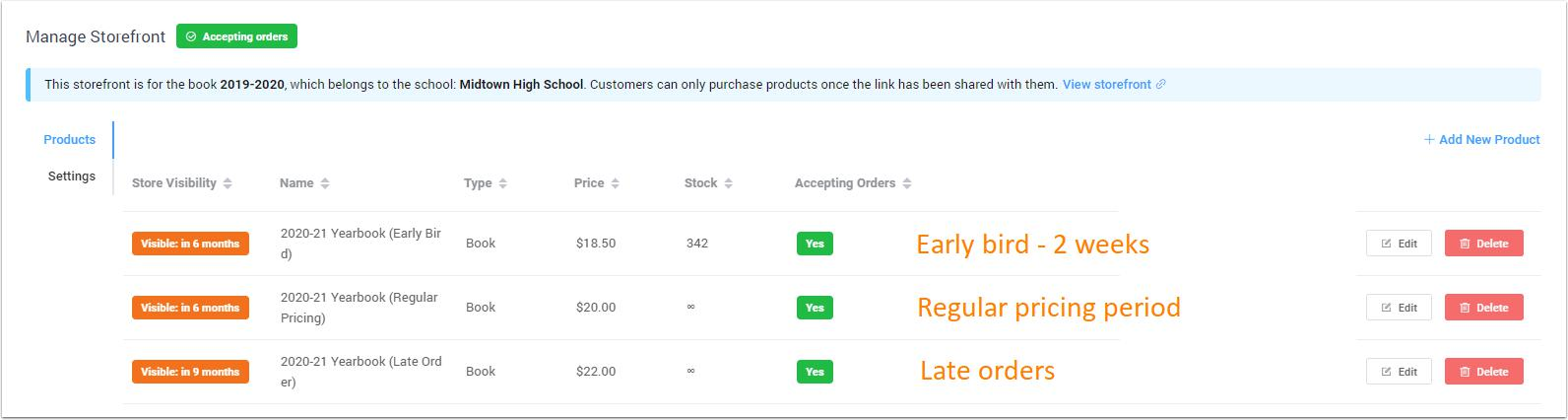
When the previous pricing tier sales date ends, start the next product sales date at the elevated price point. This procedure is best if you want to track sales by price or period. 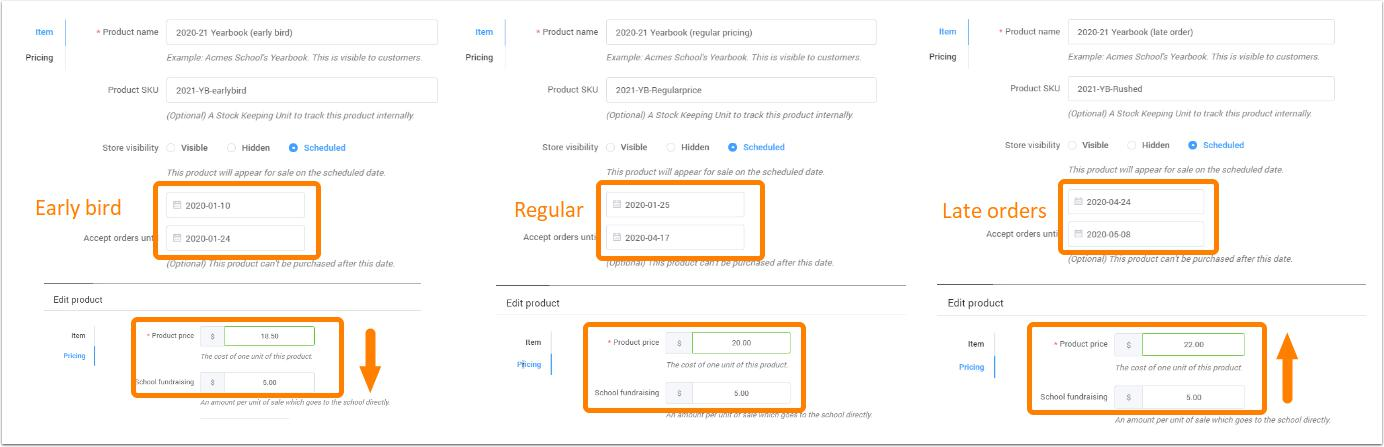
Was this article helpful?
That’s Great!
Thank you for your feedback
Sorry! We couldn't be helpful
Thank you for your feedback
Feedback sent
We appreciate your effort and will try to fix the article