You as the publisher can cancel a submitted proof at any time, enabling the school to edit the book again.
Under the Proofing tab in your Publisher dashboard, look up the school and then cancel the submission by clicking on the X icon next to the book or cover.
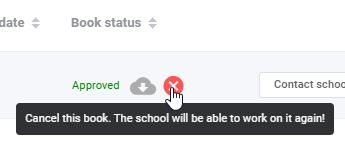
Note that after cancelling the submission, you or the book's Editor-in-Chief will need to reset the proofing status to any pages/sections that need to be worked on. Learn how to reject proofs per page, per section or per the entire book in the Memento knowledge base.
Was this article helpful?
That’s Great!
Thank you for your feedback
Sorry! We couldn't be helpful
Thank you for your feedback
Feedback sent
We appreciate your effort and will try to fix the article