Book products allow you to set resolution warnings/errors at setup time. These warnings apply to images used on yearbook pages.

Your client will see warnings on their pages if they use an image that is below your recommended values.
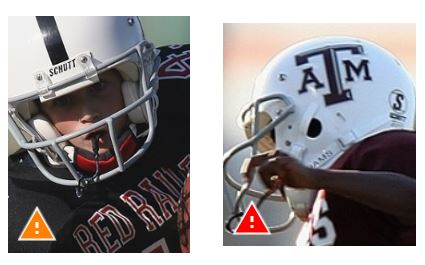
They will also apply to backgrounds.
How resolution warnings are triggered
There are several common triggers for low-resolution warnings.
- downscaled images and logos downloaded from a school website
- downloaded photos, clipart and backgrounds from the general internet searches without verifying their quality (nor the legality of doing so!)
- over-zooming an image
- stretching a small image to a larger size (eg. using a school logo as a background)
- scanning artwork that is not 300 dpi to be used on a cover
- small portrait images used in a larger frame (eg. principal's portrait photo on a special page used as a much larger size that a standard portrait grid)
How to avoid resolution warnings
Book settings: Yearbooks are generally not printed at the quality of fine art photo books, so there is no need to challenge your clients with very high resolution demands. The goal is to block very low quality images that will print pixelated. We do not recommend using values over 250 dpi to warn or 150 dpi to error. Anything higher than these values does not allow your clients sufficient flexibility to use image resources available to them, resulting in warnings for cover backgrounds and slightly enlarged clip art.
Customer Education: Encourage your customers to use reliable image sources: original photos directly gathered from the photographer, not downloaded from a website, backgrounds and elements provided in the software, or from reliable copyright free sources downloaded at as large a size as possible. They should never use images found in a general "google search" or copied from an online publication such as a newspaper or a magazine. The Memento Yearbook School knowledge base includes detailed information on resolution and image gathering practices, but do encourage safe image collection practices to avoid potential problems.
Was this article helpful?
That’s Great!
Thank you for your feedback
Sorry! We couldn't be helpful
Thank you for your feedback
Feedback sent
We appreciate your effort and will try to fix the article