To edit a book product, click on Manage book products.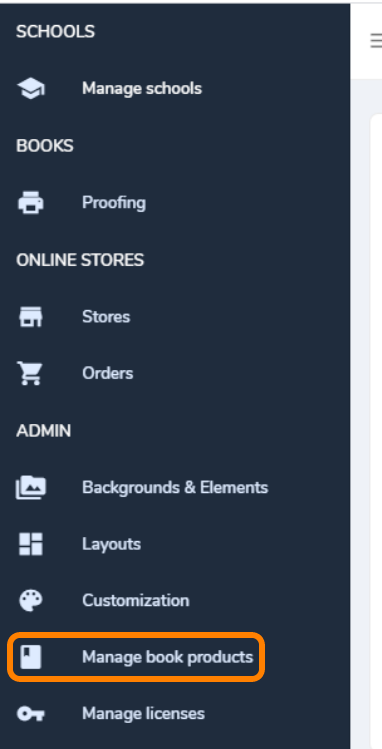
If a book product has not yet been assigned to a school, it may be edited or removed.
- click the Edit button to make changes to the book product's settings
- click Remove to delete the book product.

If a book product has been assigned to a school, it may only be viewed or duplicated.
IMPORTANT : Book products that are assigned to customers' books may not be edited, as changing a book's settings to an in-production book may have serious repercussions.
Book products assigned to a school will display the number of books using the product, and View button. Edit and Remove will be disabled. Click on View to see the current settings.
If changes are required, either create a new book product with a different name OR duplicate an existing book product. 
When you duplicate a book product, first give it a new distinct name, then make all necessary updates prior to saving it.
Next, reassign existing schools using the old product to the new product.
- Go to Manage Schools to find the schools using the existing product.
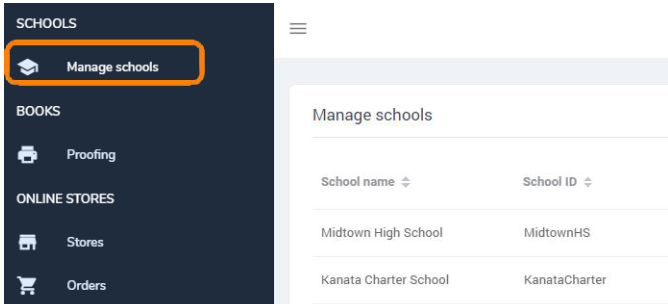
- Click View to access the book.
- Click Settings then update their book to the new product, then click Update.
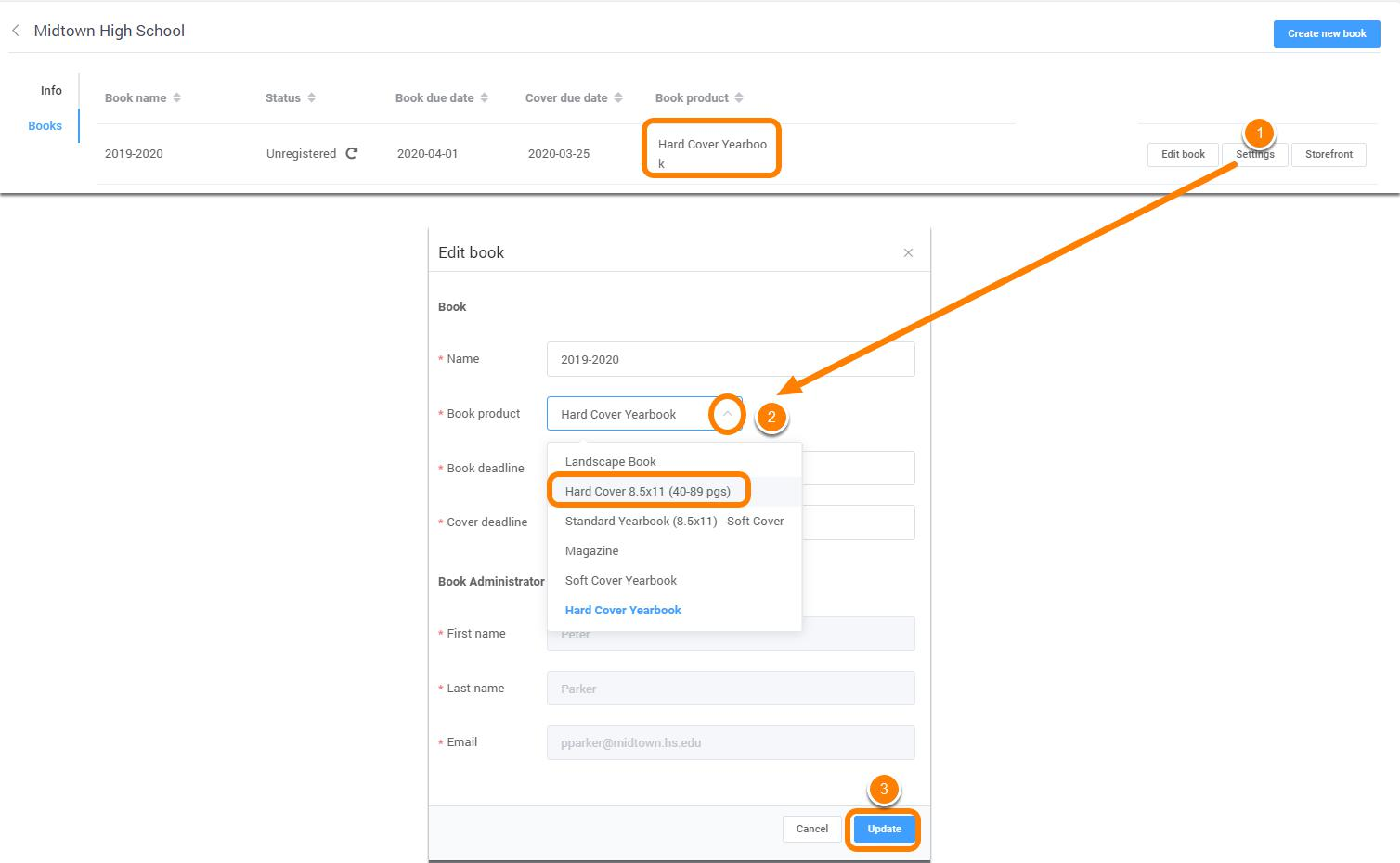
IMPORTANT: A book product cannot be changed if the school is actively working in the book. While reassigning a new book product to a school's book, it will be locked for all changes during the brief time it takes to reassign it to a new product.
A warning will appear when reassigning the book product: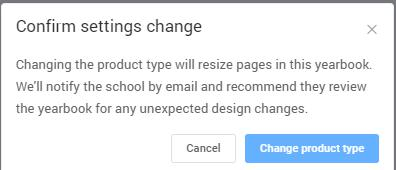
IMPORTANT: If a book was assigned an older single-cover option book product, moving to a new multi-cover book product will cause their cover design to disappear. Be sure to copy/paste the cover design to an empty interior page prior to switching products if this is the case.
Once all books have been switched to a new book product, the old book product may be removed. You may also deactivate older book products that are still assigned to schools to prevent them from being selected for new books.
Was this article helpful?
That’s Great!
Thank you for your feedback
Sorry! We couldn't be helpful
Thank you for your feedback
Feedback sent
We appreciate your effort and will try to fix the article