Optionally, after your client has submitted their book. their print-ready files have been downloaded, and the print job is finished, you may mark the book as complete. This is equivalent to forcing a book to expire so your client will no longer be able to access the book when they log in under their school id, and the book will no longer actively appear in your Publisher Dashboard.
Note that you will need to contact MementoPix support to have your book restored to an active status.
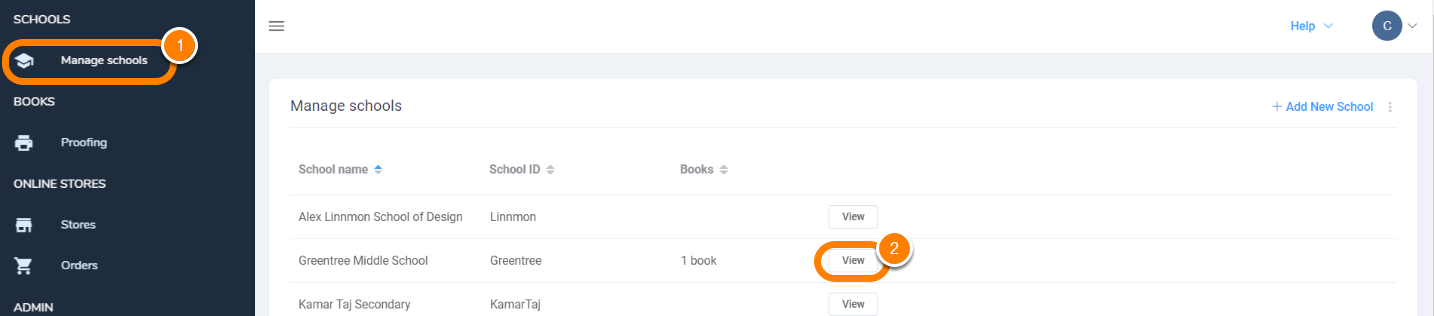
To mark a book as complete, go to Manage Schools, find the school, then click View.
Next to the book in question, click Mark as Complete.
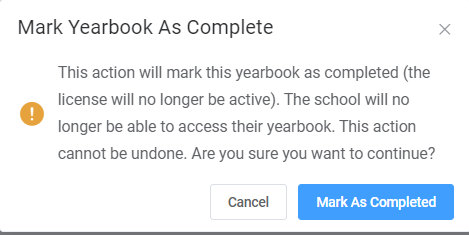
The following warning will appear - note that this action is final and cannot be undone.

To view the book's listing, access the top right menu to Show only expired licenses. You'll see the book again but not be able to access it.

Was this article helpful?
That’s Great!
Thank you for your feedback
Sorry! We couldn't be helpful
Thank you for your feedback
Feedback sent
We appreciate your effort and will try to fix the article