If you do not want your schools to access the graphics collections published by Memento, you may turn them off. Access the Customization options on the menu, then click on the Content tab.
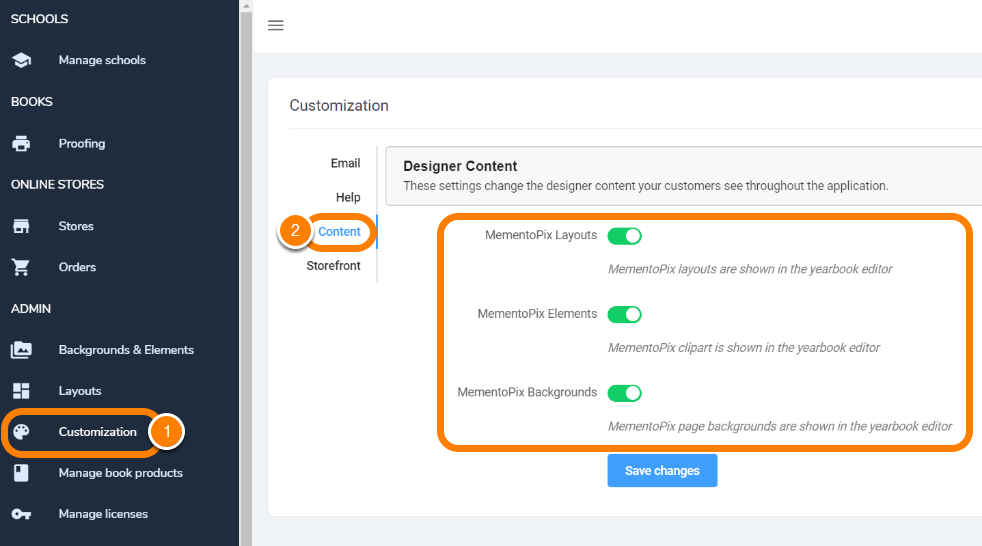
You may turn off the layouts, elements and background collections separately. Click Save Changes to apply your choices.
Turning these options off means that your customers will not have access to in-app design options (no premade layouts, backgrounds and/or elements). They will either need to upload their own decorations and/or build their pages from scratch, or you can publish your own custom content. Learn how to make your own layouts and backgrounds/element collections.
Was this article helpful?
That’s Great!
Thank you for your feedback
Sorry! We couldn't be helpful
Thank you for your feedback
Feedback sent
We appreciate your effort and will try to fix the article