By default, your customers will be directed to Memento Yearbook support resources, such as the knowledge base and ticketing system. If you prefer to offer your own support services, you can choose which aspects you wish to customize.
Click on the Customizations tab (A), then the Help option (B). Activate the Use Custom Help Settings switch to make changes (C).
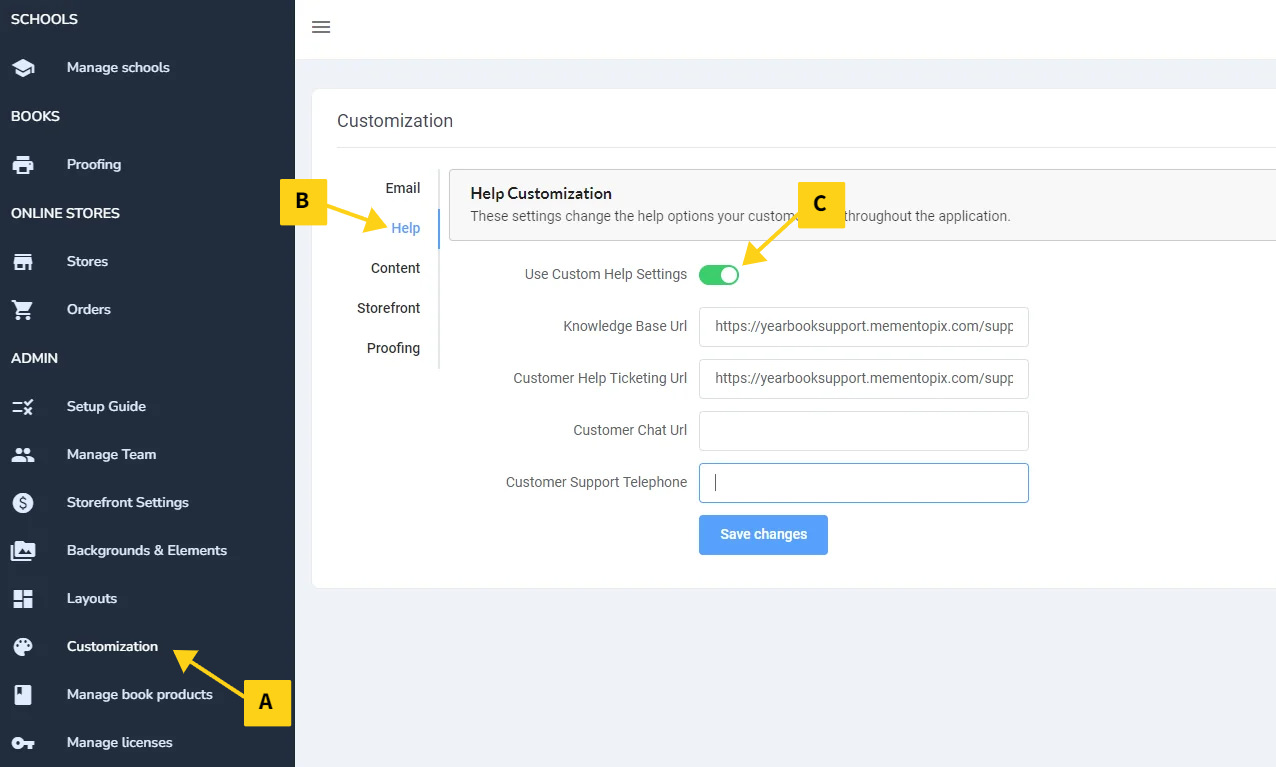
By default, the Memento knowledge base and ticketing system is selected. You may retain either of these two options, or redirect your customers to your own knowledge base and/or support services, including ticketing site, chat service and/or support phone number. Click Save Changes to apply your customizations.
Important: MementoPix provides complimentary support for your customers (knowledge base, email, callbacks and screenshares).
If you wish to offer your own knowledge base, do ensure that it is a comprehensive resource to make sure that your customers have the best possible Memento experience. Also -- the Memento knowledge base is context-sensitive, so users will be directed the information related to the page they are currently accessing.
Where Help Customizations Appear in Memento
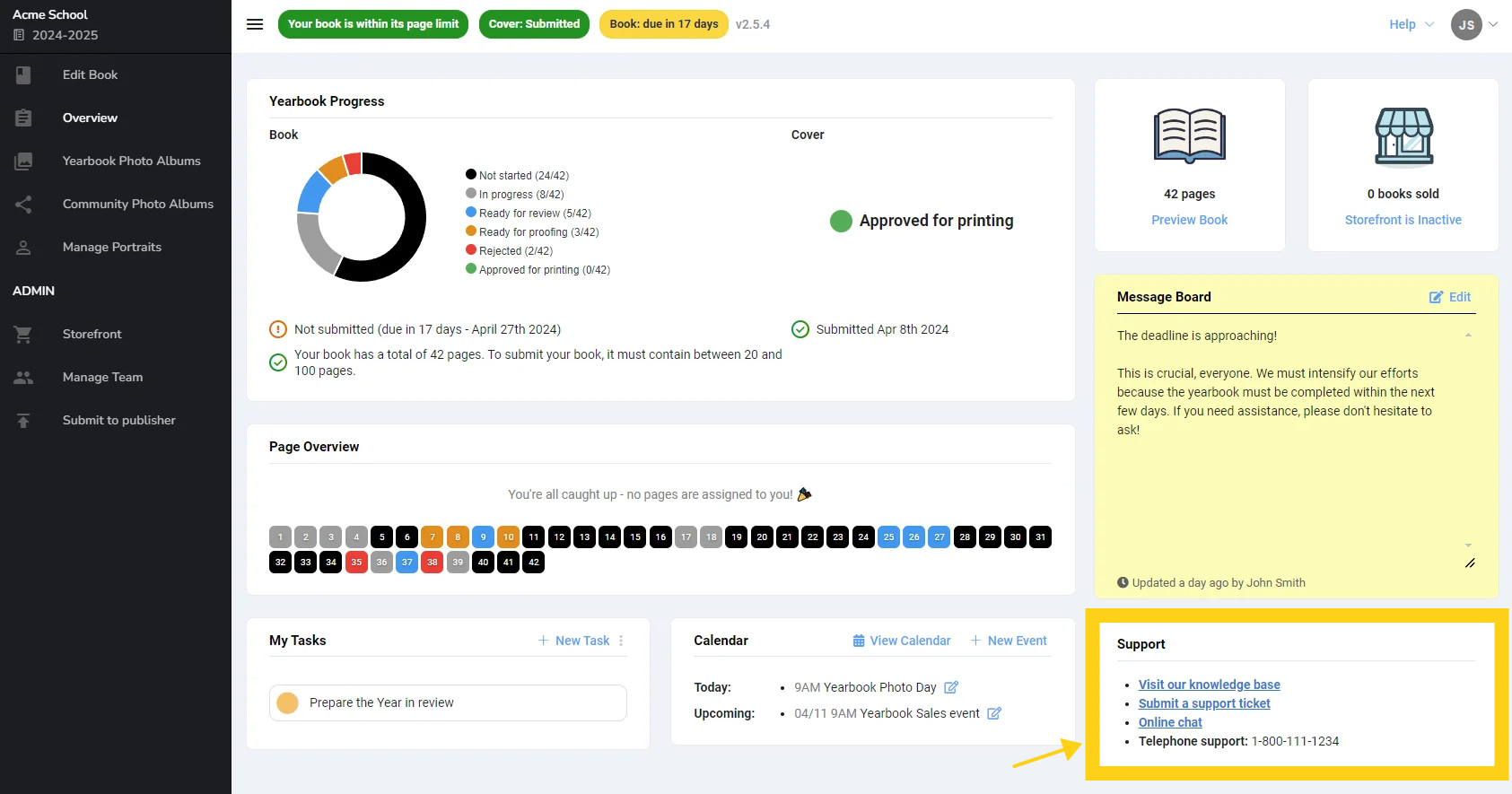
The Overview tab: Support information is updated in the bottom right corner.
The Help Menu: If you update the knowledge base link, the Help button that appears at the top of every page will redirect to your services.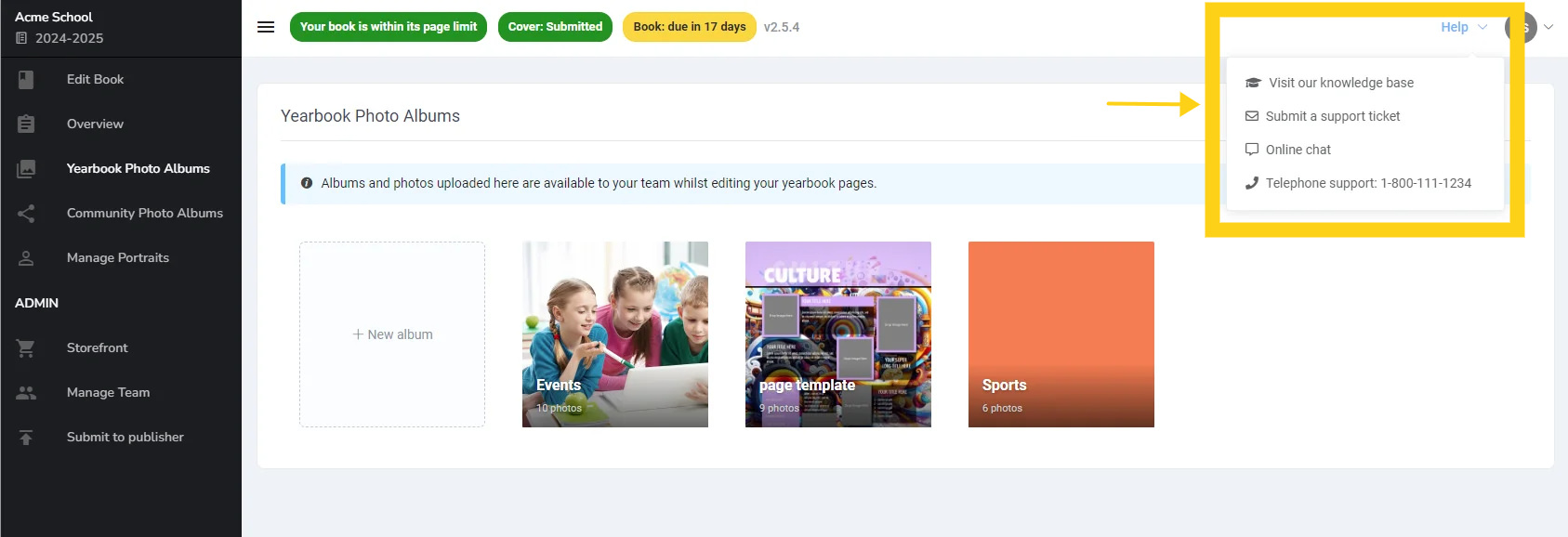
Was this article helpful?
That’s Great!
Thank you for your feedback
Sorry! We couldn't be helpful
Thank you for your feedback
Feedback sent
We appreciate your effort and will try to fix the article