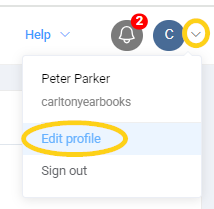
To update your admin profile information, click on the User icon in the top right corner of your publisher dashboard. Choose Edit Profile.
Update the contact name and email address, then save the change.
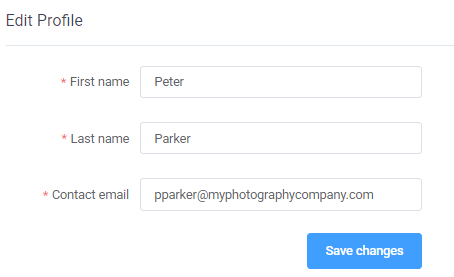
WARNING: The contact email is critical as this email receives all notifications from the publisher dashboard -- proofing notifications, bounced emails, approvals, etc.
Was this article helpful?
That’s Great!
Thank you for your feedback
Sorry! We couldn't be helpful
Thank you for your feedback
Feedback sent
We appreciate your effort and will try to fix the article