By default, only active books are displayed under a school's account. To see expired books, click on the Menu icon in the top left corner to see the Show only expired licenses option.
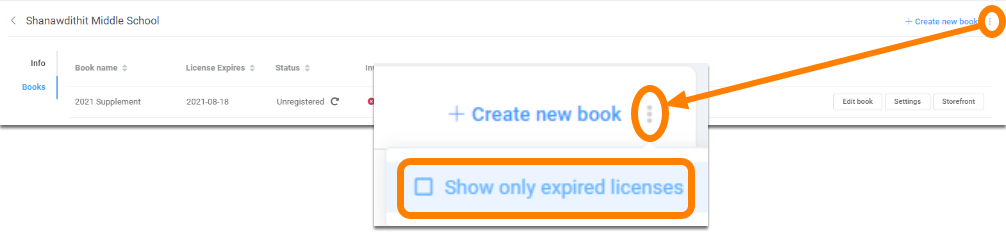
Once turned on, expired books will be displayed. Expired books can no longer be edited.

Contact our support team if you need to get back into an expired project.
Was this article helpful?
That’s Great!
Thank you for your feedback
Sorry! We couldn't be helpful
Thank you for your feedback
Feedback sent
We appreciate your effort and will try to fix the article