By default, Memento Yearbook comes equipped with a comprehensive review and approval process designed to minimize the need for back-and-forth communication with the publisher.
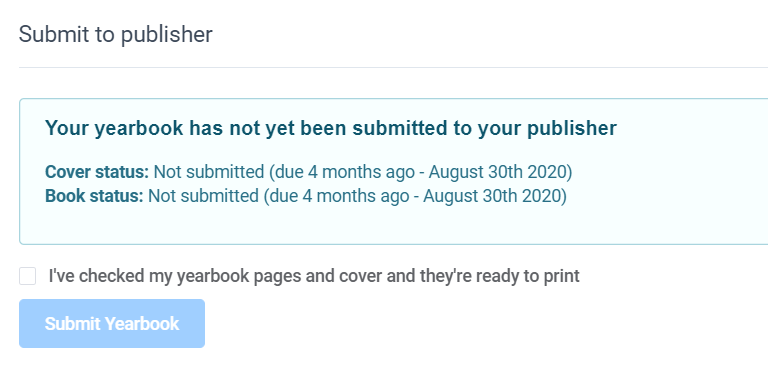
However, this workflow can be disabled, allowing for a more straightforward submission process through a single Submit to Publisher button. This streamlined option may be preferable for schools with limited experience or for publishers who have their own proofing systems and wish to submit proofs on behalf of their client schools.
To customize the proofing workflow, access Customization on the left-side menu, then click on the Proofing tab. Choose either Review & Approve or Basic.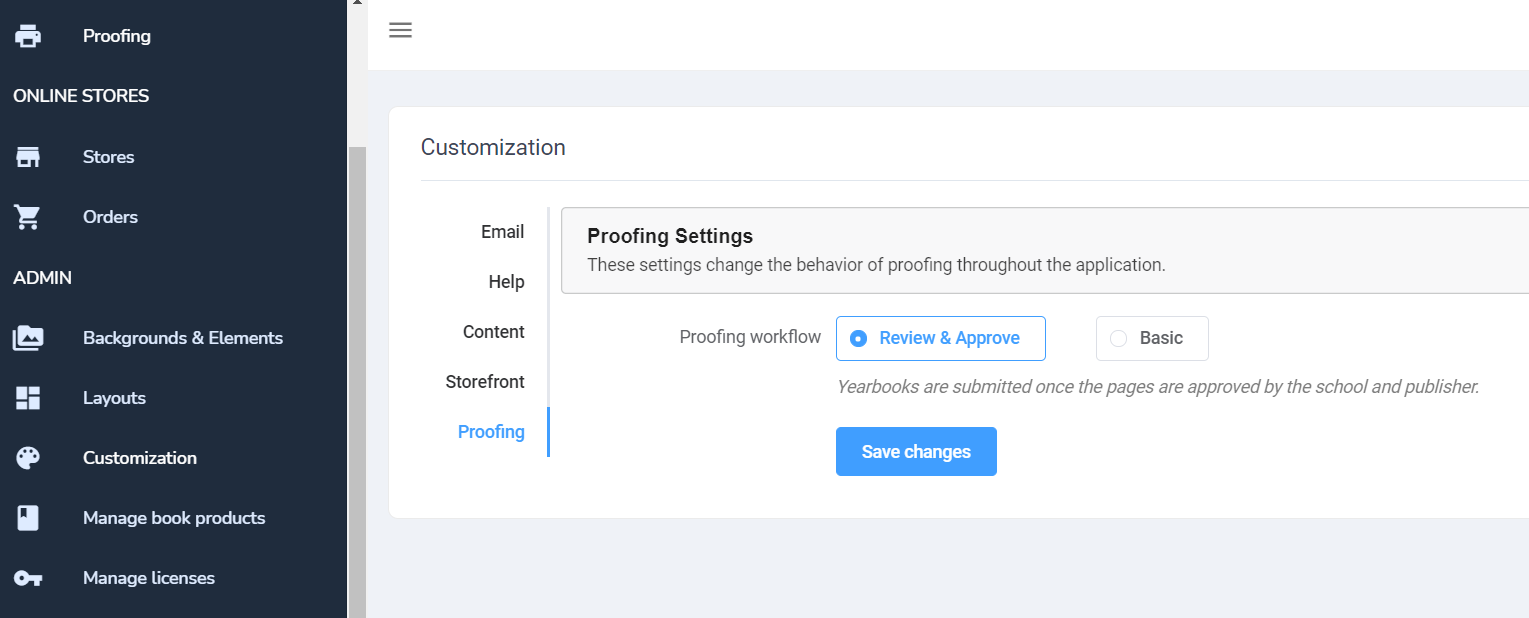
Review & Approve - Workflow: This option uses Memento's own reviewing tools, requiring your editors-in-chief to review (then approve/reject) all pages in the book and then allows you, the publisher, to review/approve/reject the book as well.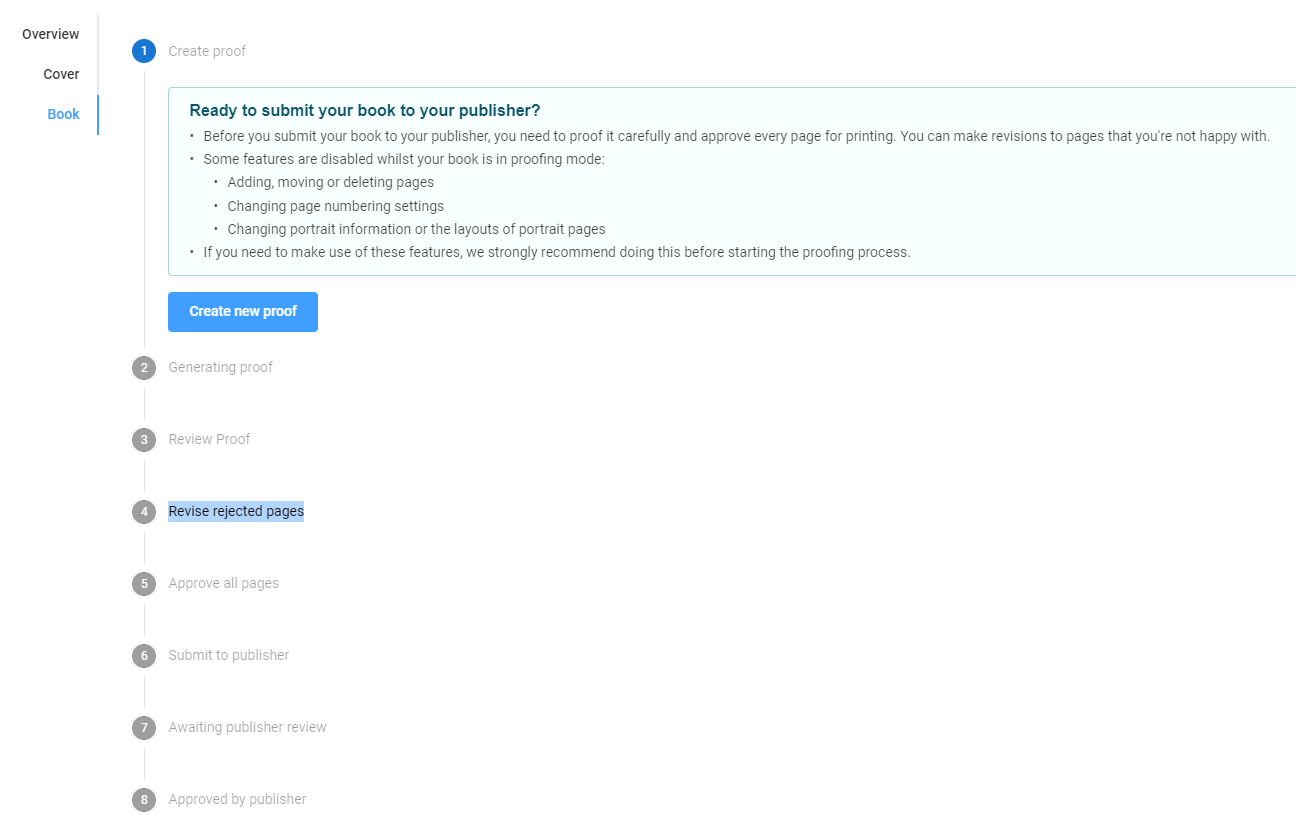
The Basic workflow simply allows your editors-in-chief to submit their book to publisher with no additional steps.
PDF Flattening
By default, Memento produces a layered pdf file for optimal print quality. Should your printing facility require a flattened PDF, turn on this switch. Both layered and flattened pdfs will be available to allow you to choose the format you wish to download.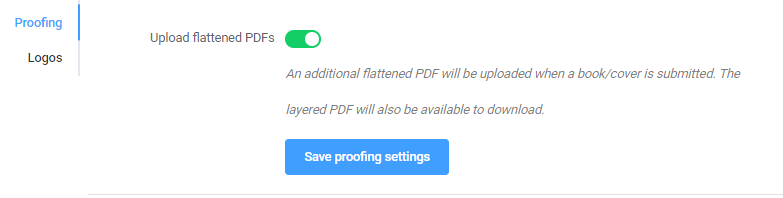
Customizing the Proof Approved Email
By default, an approved proof will generate an email to send to your customers with the following information. 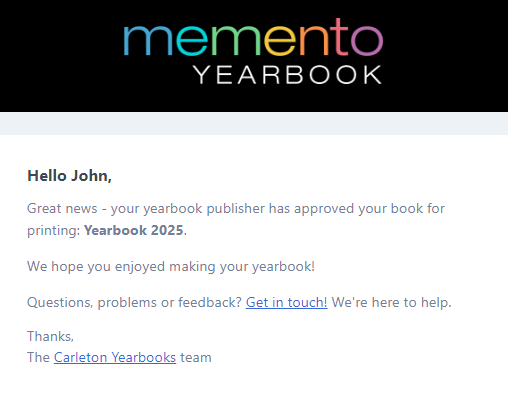
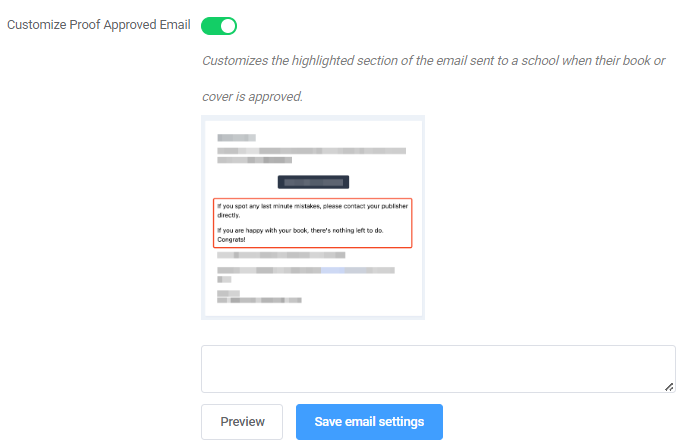
You can customize the middle section of this email to provide your schools with any additional details they need regarding their proof. For example, set their expectations for book ordering, turnaround times, or next steps.
Toggle the Customize Proof Approved Email button to make this option available, then type your desired text in the box. Click Preview to see what the new proofing email will display to your customers.
Was this article helpful?
That’s Great!
Thank you for your feedback
Sorry! We couldn't be helpful
Thank you for your feedback
Feedback sent
We appreciate your effort and will try to fix the article